


Erudite: Trivia Games & Quiz
4.71.03K Reviews
App Specs
- Version
- 3.26.1
- Updated On
- License
- Free
- Downloads
- 5,000,000+
- Developer
- Mioris LTD
- Categories
- Trivia
- Platform
- Android, iOS
Screenshots
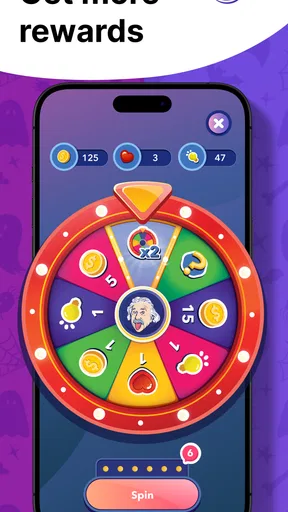
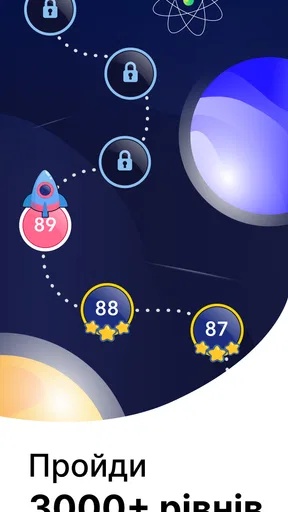
 Analysis by AppCompare
I treat a trivia game differently depending on the moment: sometimes I want a quick question while waiting, and sometimes I want a proper challenge that makes me stop and think. Erudite: Trivia Games & Quiz is aimed at both moods, bringing quizzes and guessing games together in a brain-training format. I’d consider it for short breaks, casual learning, or friendly competition, though it suits curious players better than anyone looking for a deep course or a carefully controlled study plan.
Where a trivia session can lose its flow
Quiz games are at their best when starting a round feels effortless. They can become frustrating, though, if a question is unfamiliar, the pace feels rushed, or a player expects every answer to come with a detailed lesson. In my experience, the useful way to approach Erudite is as an entertaining test of recall, not as a reference book: I play to challenge myself, and treat a surprising answer as a prompt to look into a topic further.
That distinction matters for families and mixed-knowledge groups, too. A broad trivia game can bring people with different interests to the same screen, but a difficult question may leave one person guessing while another answers immediately. I’d keep the mood light, let people explain how they reached an answer, and avoid treating a score as a measure of who is smartest. The social value is in comparing what everyone knows, not proving a point.
Erudite is a free trivia game from Mioris LTD, with optional in-app purchases priced from $0.99 to $39.99 per item. It’s rated for Everyone, and its 4.7 average from around 173,000 ratings, alongside more than a million installs, suggests it has found a sizable audience. Those figures are reassuring context, not a guarantee that every question or mode will suit your tastes. I’d also keep the purchase options in mind if a child will use the app: free to start does not mean every optional item is free.
Small setup checks before you begin
Before installing, I’d check that a device runs Android 8.0 or later if I’m using Android. The current version is 3.19.0, and the game was released on November 29, 2021. App versions can change, so I’d make sure the installed copy is current if a screen behaves differently from what I expect. That is a sensible first check before assuming a problem is part of the game itself.
When I’m setting up a new trivia app, I also decide what I want from it before diving into a round. If I have only a few minutes, I look for a short solo session; if friends are around, I’m more interested in competition. This simple choice helps me judge whether the experience fits the moment instead of bouncing between options and concluding too quickly that the game is confusing.
For a smoother first try, I’d use a stable connection if I plan to play online, and check that the phone has enough free space for an installation or update. If the game stalls, I’d close it and reopen it, then check for an update and restart the device before trying more complicated fixes. Those are general troubleshooting steps rather than a promise that any one cause explains every problem.
Worth Reading Before You Choose

Flipboard Shows What News Apps Must Do Beyond the Feed

Switching to Android Auto Means Rethinking Your Driving Routine

Google Calendar Makes a Crowded Week Easier to Manage

Ludo King Makes the Most of the Minutes Between Plans

Baby Panda World Brings Quick Play to Modern Phones, but Its Game Library Feels Busy

ESPN’s Live Game View Makes Following Close Games Easier
Recovering a round without making it a chore
A difficult question is not necessarily a reason to quit. The hint system gives me a way to keep moving when I’m stuck, but I’d use it selectively: trying to reason through an answer first makes the clue more useful and leaves the session feeling like a quiz rather than a sequence of assisted guesses. If I’m playing to learn, I pause long enough to remember why the answer surprised me instead of tapping onward as quickly as possible.
If a session is interrupted, I wouldn’t assume that every game will resume in exactly the same state. I’d return to the app, check what is still available on screen, and start a fresh round if needed rather than repeatedly tapping controls that appear unresponsive. In a live match, an interruption can be more annoying than in solo play, so I’d choose a reliable connection and a moment when I’m unlikely to be pulled away before entering a competitive session.
When the interface or sound feels distracting, I’d first try adjusting the device’s own sound level and playing somewhere I can focus. Quick animations and sound effects add energy, but they are not automatically a benefit for everyone; a quiet setting or a player who prefers a calmer pace may find them less appealing. I see that as a preference to account for, rather than a reason to dismiss the quizzes themselves.
When the problem may be outside the game
Not every failed download, pause, or slow response points to a fault in Erudite. A weak connection can interfere with online activity, while an older or busy device may make any app feel less responsive. I’d compare what happens in another app, check the connection, and retry after closing background activity. If other apps are struggling too, the sensible next step is to address the device or network rather than repeatedly reinstalling a game.
I’d also separate a technical issue from a content preference. If questions feel too specialized, that may simply mean the chosen topic is not a good match; if I want careful explanations and a structured curriculum, a dedicated learning app is likely a better fit. Trivia can spark curiosity, but I wouldn’t rely on a correct-answer streak as proof that I’ve mastered a subject.
What playing Erudite is like
Hey there, trivia buffs! I recently stumbled upon this app called Erudite: Trivia Games & Quiz, and I have to say, it’s been quite the rollercoaster of learning and fun. If you’re a fan of testing your knowledge and challenging your brain, this app might just be your new go-to. Let me walk you through my experience with it.
Exploring the Features
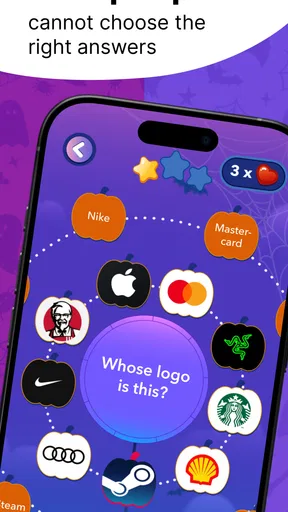
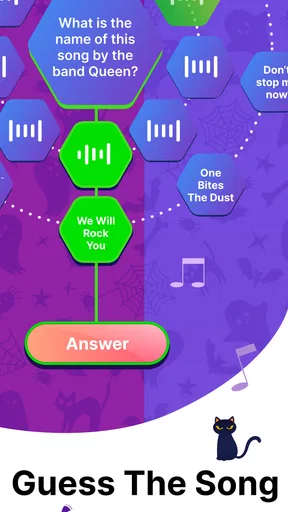
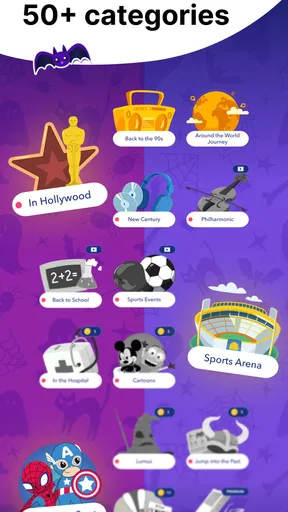
Erudite offers a wide variety of quiz categories that cater to almost every interest. Whether you’re into history, science, pop culture, or sports, there’s something for everyone. I started off with the general knowledge section, and let me tell you, it wasn’t a walk in the park! The questions are well-thought-out and really test your trivia prowess.
One feature I found particularly cool was the multiplayer mode. It allows you to compete against friends or random players in real-time. It’s a great way to add a competitive edge to your trivia sessions. Plus, who doesn’t love a bit of friendly rivalry?
User Experience
The app is designed with user experience in mind. Navigation is smooth, and the response time is quick, which is crucial for a trivia app where every second counts. I also appreciated the little animations and sound effects that make the whole experience more engaging. They nailed the balance between fun and functionality.
Another aspect worth mentioning is the hint system. If you find yourself stuck on a tricky question, you can use hints to guide you to the right answer. It’s a helpful feature that ensures you’re not left frustrated, especially during those brain-fog moments.
Learning and Fun Combined
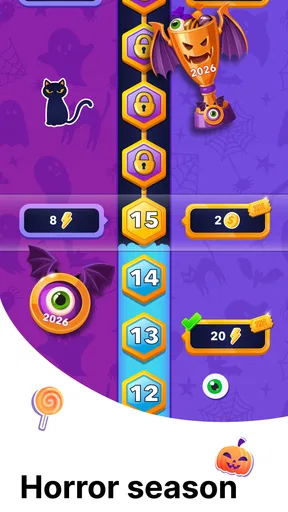
What I love about Erudite is how it combines learning with fun. You’re not just mindlessly tapping away; you’re genuinely learning new things with every quiz. The app regularly updates its question bank, so you’re always in for fresh content. Plus, there are daily challenges that keep you coming back for more.
The app also includes a neat feature where you can track your progress. It shows you stats like your accuracy rate and how you stack up against other users. It’s rewarding to see your improvement over time, and it definitely motivated me to keep pushing my limits.
Choosing the right moment to play
The most natural use I found for a trivia game like this is a small pocket of spare time that is too short for a film or a long game but long enough to focus on a handful of questions. On a commute, during a lunch break, or while waiting for someone, I can turn idle minutes into a quick mental workout. I would avoid starting a real-time match just before an appointment, though: an unexpected interruption matters more when another player is waiting.
It also works as an easy way to get a conversation going. At home, friends can take turns answering aloud, explain a guess, and use the result as a springboard into a topic nobody expected to discuss. That approach is especially useful when players have different strengths; someone who knows sports may be less sure about history, and the mix keeps the activity from becoming a contest dominated by one person.
For a solo routine, I’d use the progress tracking as a nudge rather than a verdict. Accuracy can show whether I’m getting more comfortable with the kinds of questions I encounter, but it does not tell me why I missed one or whether I understand a whole subject. A practical habit is to note a question that genuinely interested me and explore it elsewhere after the session. That turns a quick game into a starting point for learning without expecting the game to do the job of a textbook.
How it compares with other ways to quiz yourself
Compared with a traditional quiz app built around one subject, Erudite’s broad mix is more appealing when I want variety and don’t want to choose a narrow area before I start. A specialist quiz can be the better pick for someone preparing for an exam or trying to build knowledge in a defined field, because a general trivia session is not designed to provide that kind of progression. The trade-off is simple: breadth makes for more casual discovery, while focused practice is usually more useful for a specific goal.
Against a paper quiz or a group asking questions from memory, the app offers a ready-made structure and a competitive option, which can make it easier to get a session going. The paper alternative has its own advantage: people can slow down, discuss an answer, and decide together how to score it. I’d choose Erudite when I want the phone to supply the challenge, and an offline group quiz when conversation matters more than pace or tracking.
It also differs from a general learning platform. A course tends to organize material around lessons and a deliberate sequence; Erudite is better approached as a collection of short challenges. If I want a relaxed brain break, that lighter structure is a strength. If I need dependable depth, detailed teaching, or a study plan, I’d use a more specialized resource alongside it rather than expecting a trivia game to cover those needs.
Who will enjoy it, and who may want something else
I’d recommend trying it if you enjoy general knowledge, like switching among topics, or want a low-effort activity to share with friends. The combination of solo questions, hints, progress tracking, daily challenges, and real-time competition gives different kinds of players a reason to return. A newcomer can use hints to soften a tough moment, while someone who likes a scoreboard may find the competitive side more motivating.
I’d be more cautious if you dislike timed pressure, prefer quiet interfaces, or mainly want long explanations after every answer. The pace and effects that make a quiz feel lively can be friction for someone who wants to read carefully or play in silence. Likewise, a player who dislikes competition may get more from the solo side and should not feel obliged to enter multiplayer just because it is available.
Parents deciding whether it suits a child can note that the age rating is Everyone, but still consider how the child handles competitive play and optional purchases. I’d explain that purchase items may cost money before handing over the device, and check the device’s purchase controls if that matters in the household. That is a practical safeguard for any free-to-start game with in-app purchases, not a reason to assume a child will necessarily encounter a particular prompt.
Final Thoughts
Overall, Erudite: Trivia Games & Quiz is a fantastic app for anyone who loves trivia and wants to learn something new every day. It’s user-friendly, packed with features, and offers a nice blend of education and entertainment. Whether you’re a trivia novice or a seasoned quiz master, there’s plenty here to keep you entertained.
If you’re ready to put your knowledge to the test, I highly recommend giving Erudite a try. It’s more than just an app; it’s a community of curious minds ready to challenge each other. So, grab your phone, download the app, and let the trivia battles begin!
Pros
- Wide variety of trivia categories.
- Engaging multiplayer mode.
- Regularly updated with new questions.
- Intuitive user interface.
- Offline play available.
Cons
- Ads can be intrusive.
- Limited free content.
- In-app purchases required for full access.
- Occasional connectivity issues.
- Some questions lack depth.
FAQs for Erudite: Trivia Games & Quiz
What is Erudite: Trivia Games & Quiz?
Erudite: Trivia Games & Quiz is a mobile application designed to challenge your knowledge across various topics through fun and engaging trivia games and quizzes. Available for both Android and iOS, the app offers a wide range of categories, from history and science to pop culture, ensuring there's something for everyone.
Is Erudite free to download and use?
Yes, Erudite is free to download from both the Google Play Store and Apple App Store. While the core features are free, the app does offer in-app purchases for additional content or to unlock premium features, such as ad-free gaming or exclusive quiz packs.
What features does Erudite offer?
Erudite offers a variety of features including multiple game modes, leaderboards, and daily challenges. Users can compete with friends, track their progress, and earn badges as they advance. The app also provides detailed explanations for answers, helping users learn as they play.
Can I play Erudite offline?
Yes, Erudite allows offline play for most of its quizzes and games. However, some features, such as leaderboards and daily challenges, require an internet connection to function properly. This makes it convenient for users who want to test their knowledge without being online constantly.
How often is new content added to Erudite?
The developers of Erudite regularly update the app with new questions and categories to keep the experience fresh and engaging. Users can expect frequent updates that introduce new challenges, ensuring there is always something new to learn and explore within the app.


